


AI Translator
AI Translator grew out of a personal need. When you're reading articles in another language, watching videos, or searching foreign-language forums, you often have to reach for a translator. Every time, it's the same routine: open a new tab, go to a translation site, paste the text, translate it, and switch back.
I wanted translation to live where the text lives: open the extension popup, select or paste a phrase — and get the answer right there. No separate site, no tab juggling. AI Translator is available on this site, where you can try the service right here.
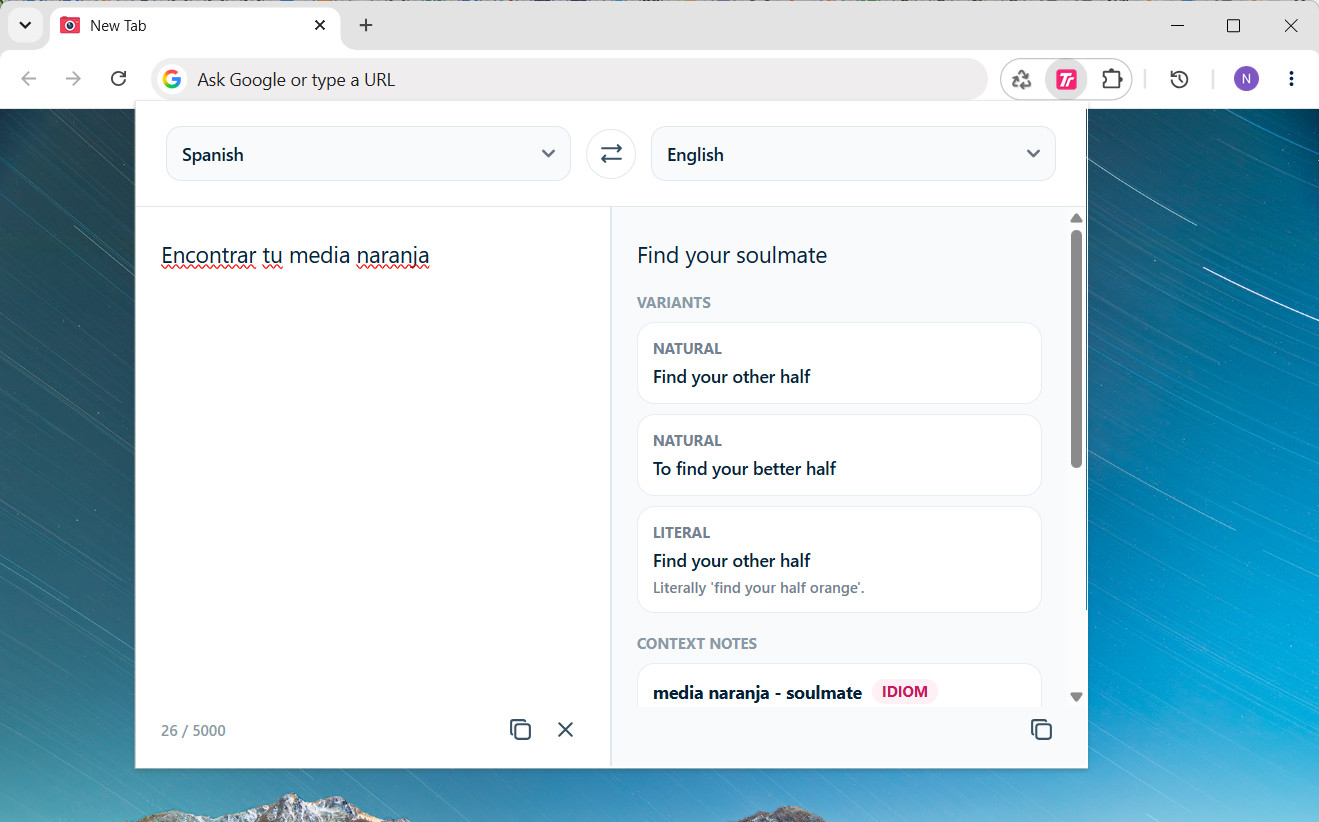
An example of a translation in the AI Translator extension.
What it is
It's an AI-powered translator designed to translate and explain phrases, idioms, and slang you come across while reading.
The key difference is that it gives you more than just a translation. You also get:
- a natural translation — the way a native speaker would actually say it;
- alternative translations when a phrase can be understood in more than one way;
- tone notes: is it a joke, a polite request, or passive aggression;
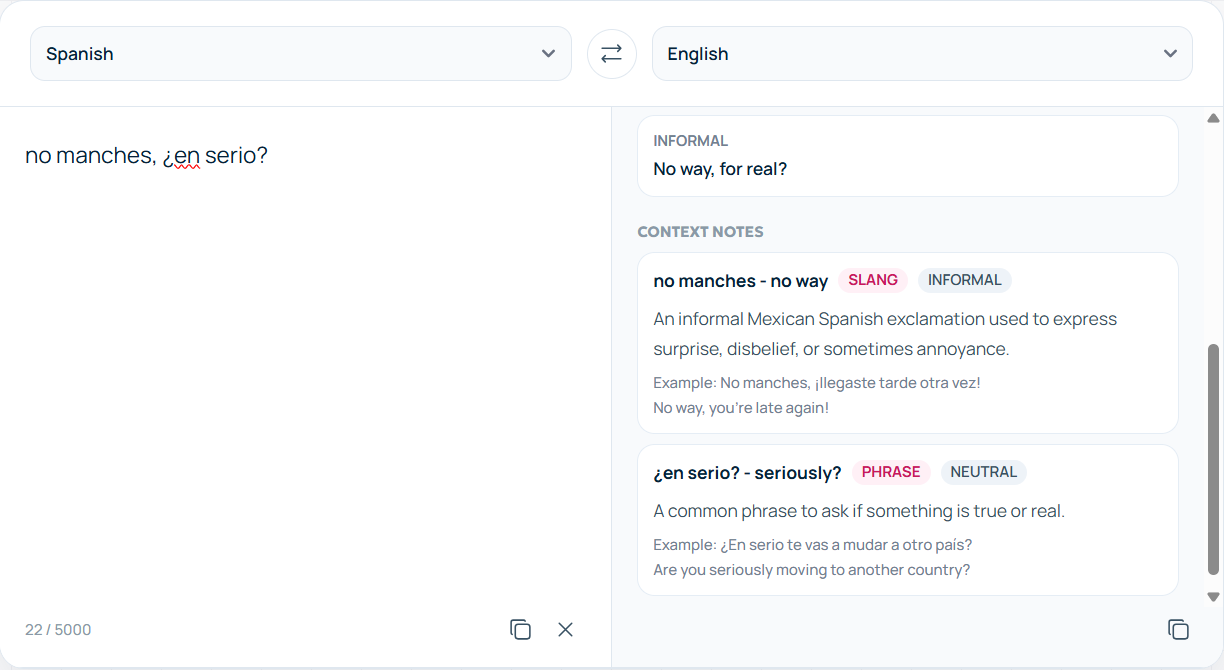
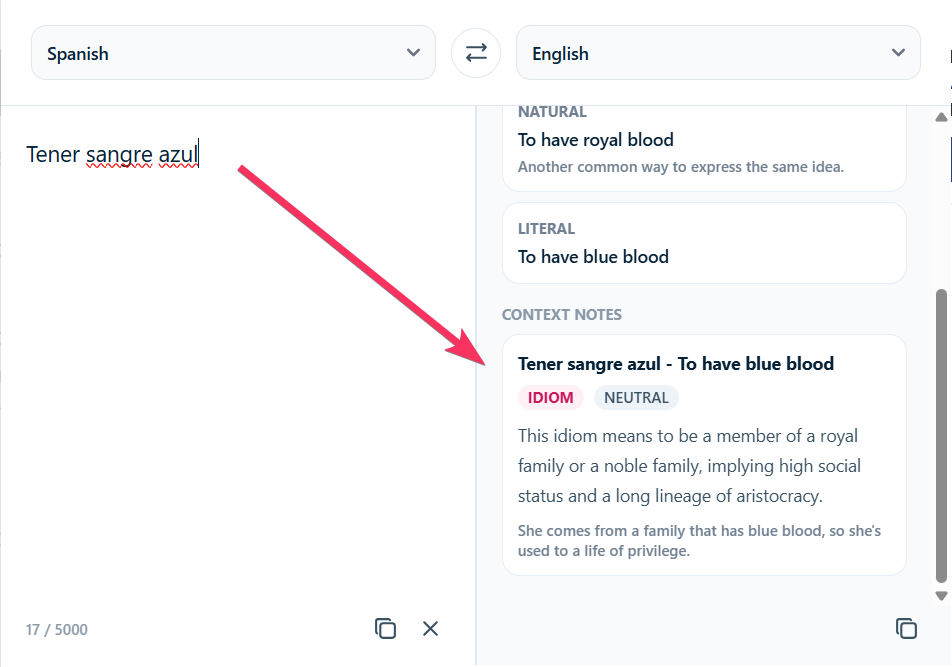
- cards for idioms and slang — what the expression means and when it fits;
- examples of how the phrase or idiom is used in context.
How it works
- Paste your text into the translator on this page.
- Pick the target language. The source language is detected automatically.
- Get the translation, plus variants and explanations alongside it.
No accounts, no setup. The limit is 5000 characters — more than enough for an email or a long message.
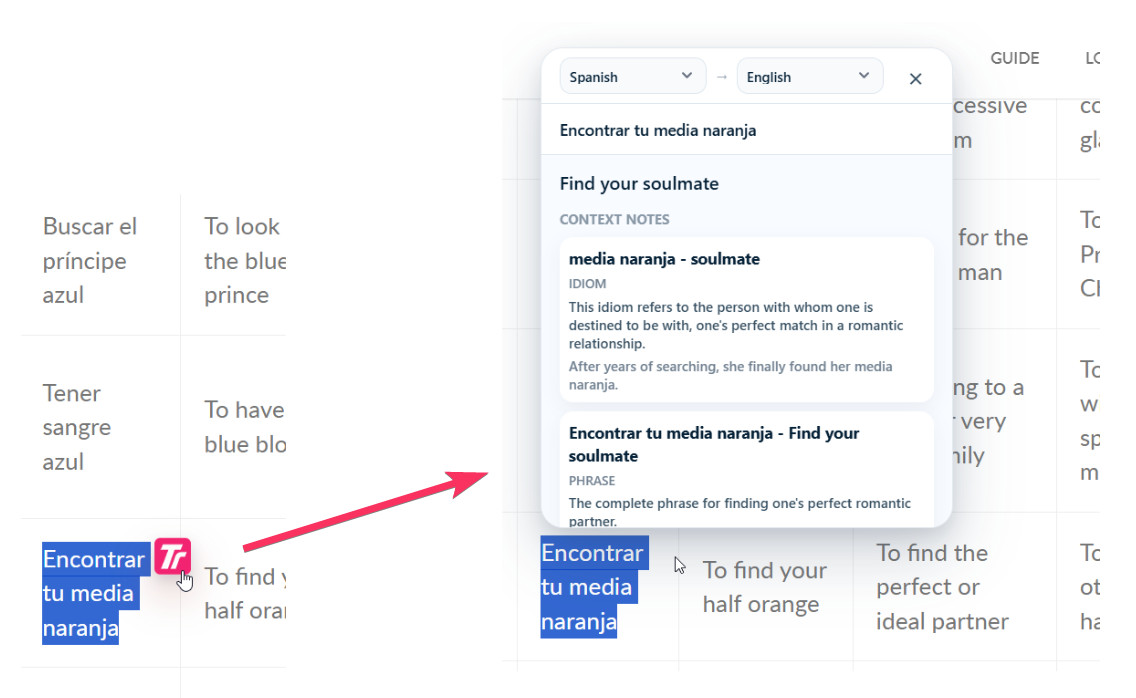
An illustration of the extension workflow: select text and view the translation.
Where it saves you
A regular translator knows the words but not the situation. A classic:
"No hay mal que por bien no venga" is "every cloud has a silver lining" — not the baffling "there is no evil that doesn't come for good".
A few more real-life scenarios:
- You're writing to a Spanish-speaking client and aren't sure if your wording sounds blunt — the tone notes have your back.
- You're watching anime or a K-drama with subtitles and keep hitting slang that no dictionary has.
- You hang out on international Discord servers where "me da igual" can mean easy-going "I don't mind" or a cold "whatever" — and the difference matters.
- You're learning a language and want to understand not just what was said, but why it's said that way.
How much it costs
Free. Open the site — start translating. No sign-up, no credit card.
What's coming next
The service is young, and the best parts are ahead:
- Compiled translation — several AI models translate the same phrase, and the service assembles the best version from their answers.
- File translation — PDF, DOCX, and other formats, whole documents at once.
- Text on images — screenshots, memes, scans.
If you, like me, are tired of opening a separate tab for a single phrase — try the translator right on this page. It takes about ten seconds.